
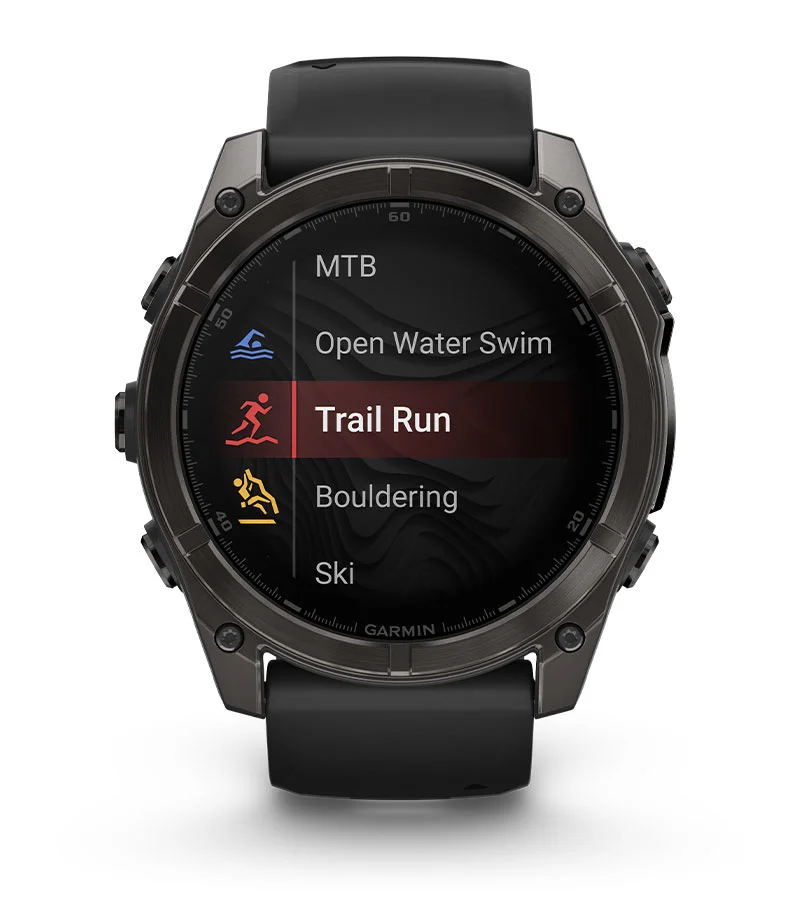
Every Garmin watch can be reset, but the available methods vary by model. Most support three options: a soft reset that reboots the watch without erasing anything, a factory reset through the settings menu, and a hard reset via button combination for when the watch is completely unresponsive. The right method depends on whether you are troubleshooting a frozen screen, fixing persistent software bugs, or preparing to sell the watch.
Soft Reset (Force Restart)
A soft reset power-cycles the watch. It fixes frozen screens, GPS lock failures, sync issues, and post-update glitches. No data is lost – your activities, settings, apps, and music all stay intact.
5-Button Models (Fenix, Forerunner, Instinct, Enduro, Epix)
Hold the LIGHT button (upper-left) until the screen goes dark and the watch powers off. Then hold it again for one second to turn the watch back on. This works on the entire Fenix lineup (5, 6, 7, 8), all Forerunner models (55, 165, 245, 255, 265, 955, 965), every Epix generation, and all Enduro models. On Instinct watches, the button is labeled CTRL and sits in the same upper-left position.
Touchscreen Models (Venu, Vivoactive)
Hold the action button (top-right on Venu models, the single side button on Vivoactive 5) for approximately 15 seconds until the watch powers off. Press and hold it again for one second to restart.
Garmin Lily
The Lily has no physical power button. If it freezes, place it on the charger – this often triggers a reboot. If that fails, let the battery drain completely, then charge it to restart.
USB-C Method (Fenix 8, Enduro 3)
The Fenix 8 and Enduro 3 have an alternative: plug the watch into a USB-C charger for at least 30 seconds, unplug the cable, then plug it back in. This is useful when the buttons are unresponsive.
Factory Reset via Settings Menu
If a soft reset does not fix the problem, a factory reset through the settings menu is the next step. Before you proceed, review the Pre-Reset Checklist below – syncing your data and removing Garmin Pay cards first can save you significant headaches. Garmin offers several reset tiers, and picking the right one matters.
Reset Options
- Reset Default Settings – Restores all watch settings to factory defaults but preserves your activity history, downloaded apps, music, and Garmin Pay wallet. Try this first for persistent bugs.
- Delete Data and Reset Settings – Full factory wipe. Erases everything: activities, Garmin Pay cards, music, apps, Wi-Fi credentials, paired devices, and all custom settings. Use this when selling the watch or as a last resort for software issues.
- Delete All Activities – Removes only activity history from the watch.
- Reset Totals – Clears accumulated distance and time counters.
Menu Path by Model
Most Garmin watches (Fenix 6/7, Forerunner series, Instinct series, Enduro/Enduro 2, Epix, Vivoactive 5):
- From the watch face, hold the MENU button (middle-left).
- Navigate to System > Reset.
- Select your desired reset option.
Older models (Fenix 5 and earlier) use a slightly different path: Settings > System > Restore Defaults.
Fenix 8 and Enduro 3 use a deeper menu path:
- Hold the middle-left button.
- Navigate to Watch Settings > System > Restore & Reset > Reset.
Venu series:
- Hold the bottom-right button to open the menu.
- Scroll to Settings > System > Reset (Venu 3 uses Restore & Reset > Reset).
Lily / Lily 2:
- Navigate to Settings > System > Reset (Lily 2: Settings > System settings > Reset).
Hard Reset via Button Combination
When the watch is completely frozen and will not respond to a normal soft reset, a button-combination master reset forces a full factory wipe. This erases all user data – it is equivalent to "Delete Data and Reset Settings."
Method A: Back/Lap + Power On
This works on Fenix 5 series, older Forerunner models, and the original Instinct and Enduro.
- Power off the watch by holding the LIGHT button until the screen goes blank and the watch turns off.
- Press and hold the Back/Lap button (bottom-right).
- While still holding Back/Lap, press the LIGHT button to power on.
- Continue holding Back/Lap until you see "Clear user data?" on screen.
- Select Yes.
Method B: Three-Button Reset
This works on Fenix 6/7, Epix Gen 2 and Pro, Forerunner 265, Forerunner 965, and Enduro 2.
- Power off the watch completely.
- Press and hold Start/Stop (top-right) and Back/Lap (bottom-right) simultaneously.
- While holding both, press LIGHT (upper-left) to power on.
- When you hear the first beep, release Start/Stop.
- When you hear the second beep, release Back/Lap.
- Release LIGHT.
Touchscreen Models (Venu, Vivoactive)
Touchscreen Garmin watches do not have a button-combination master reset. If the watch is frozen:
- Hold the action button for 15+ seconds to force restart.
- Once it boots, perform the factory reset through the settings menu.
- If the watch is completely bricked, connect it to a computer via USB and use Garmin Express to reinstall firmware.
What You Lose with Each Reset
A soft reset erases nothing. Reset Default Settings restores factory settings but keeps your data, apps, and music. Delete Data and Reset Settings wipes everything on the watch.
The full factory wipe also erases device-only health metrics that do not sync to the cloud:
- HRV baseline – takes approximately 3 weeks of overnight wear to rebuild
- Training Load and Training Status – requires about two weeks of regular activity with heart rate monitoring
- Body Battery calibration – typically takes about one week to recalibrate to your patterns
- VO2 Max – re-establishes after several outdoor GPS runs or rides with active heart rate monitoring
Your Garmin Connect cloud data is safe regardless of which reset you perform. Past activities, personal records, courses, and badges all remain in the app and on the web. They are never stored exclusively on the watch.
Pre-Reset Checklist
Before performing a full factory reset, complete these steps:
- Sync with Garmin Connect. Open the app and confirm a full sync completes. This uploads your latest activities and health data to the cloud.
- Remove Garmin Pay cards. Go to the Garmin Connect app, open Garmin Pay, and remove all payment cards.
- Note your custom settings. Screenshot your data screens, watch face configuration, alerts, and heart rate zones. These will not survive a factory reset on most models.
- Charge to at least 50%. A reset interrupted by a dead battery can corrupt firmware or brick the watch.
- Use Backup & Restore if your watch supports it. Available on Fenix 7 and newer, Forerunner 265 and up, Forerunner 955 and up, Enduro 2 and up, and Epix Gen 2 and up. Check Settings > System > Backup & Restore. This saves your watch face, data screens, activity profiles, and system settings.
If you are selling the watch, also remove it from your Garmin Connect account: go to Garmin Devices, select the watch, and choose Remove Device.
When to Use Each Reset
- Frozen screen or unresponsive watch – Soft reset. Hold the LIGHT/CTRL button (5-button models) or the action button for 15 seconds (touchscreen models).
- Persistent software bugs, GPS issues, or sync failures – Try Reset Default Settings first. It preserves your data while clearing potentially corrupted settings.
- Problems persist after Reset Default Settings – Escalate to Delete Data and Reset Settings for a complete wipe.
- Watch is completely bricked – Button-combination hard reset (Method A or B above).
- Selling or giving away the watch – Delete Data and Reset Settings, then remove the watch from your Garmin Connect account.
- Last resort for a watch that will not respond to anything – Connect to a computer and use Garmin Express to reinstall the firmware from scratch.
After the Reset
Once the watch boots into the setup wizard, pair it with the Garmin Connect app, allow a full sync, and check for firmware updates immediately. If you used Backup & Restore, the app will prompt you to restore your saved settings.
Expect a recalibration period for the health metrics listed above – HRV, Training Load, Body Battery, and VO2 Max all need time to rebuild. The first GPS lock after a factory reset may also take 15-20 minutes as the watch re-downloads satellite data. There is no way to speed this up beyond wearing the watch consistently and training normally.