
Your Apple Watch measures your heart rate hundreds of times per day. But how much should you actually trust those numbers?
The short answer: quite a lot, most of the time. Across 56 clinical studies, Apple Watch heart rate readings show a mean absolute percentage error (MAPE) of just 4.43% – well within the acceptable threshold for consumer-grade accuracy. At rest, the watch consistently lands within 2–5 BPM of medical-grade electrocardiogram monitors. During exercise, 91% of clinical studies report error rates below 10%, though certain conditions – wrist tattoos, cold weather, rapid interval changes – can push error rates significantly higher.
The longer answer depends on what you're doing, how you're wearing the watch, and what you're comparing it against. Here's the full breakdown.
How the Apple Watch Measures Heart Rate
The Apple Watch uses photoplethysmography (PPG) – the same optical sensing technology found in pulse oximeters and hospital finger clips, miniaturized into that small sensor cluster on the watch's underside. Green LED lights flash into your skin hundreds of times per second, and photodiodes measure how much light is absorbed versus reflected back. Blood absorbs green light, so when your heart beats and blood volume in the wrist capillaries increases, absorption spikes. The watch's algorithm converts these light fluctuations into a beats-per-minute reading.
The Apple Watch Series 11 and Apple Watch Ultra 3 both use Apple's third-generation optical heart sensor paired with an electrical heart sensor for ECG readings. The optical sensor handles continuous background monitoring – sampling every 5–10 minutes throughout the day and continuously during workouts – while the electrical sensor activates only when you open the ECG app and touch the Digital Crown.
PPG technology has an inherent limitation: it reads blood flow through skin, not electrical heart signals directly. Any factor that disrupts the light path – movement, poor skin contact, reduced blood flow – degrades accuracy. That distinction explains nearly every accuracy gap discussed below.
Accuracy at Rest
Resting heart rate is where the Apple Watch performs best. When you're sitting still, there's minimal wrist movement to interfere with the optical sensor, blood flow is steady, and the algorithm has clean data to work with.
The numbers are strong. Clinical validation data shows resting readings fall within ±2–5 BPM of medical-grade monitors, with a mean bias of just -0.27 BPM (a near-negligible underestimation). Apple's own 2024 validation study found the sensor is accurate to within 5 BPM 98% of the time in sedentary mode, rising to 99.7% accuracy within a 10 BPM margin.
For practical purposes, if your Apple Watch shows a resting heart rate of 62 BPM, the true value is almost certainly between 57 and 67 BPM – and more likely within 60–64 BPM. That's accurate enough for tracking trends, spotting illness (resting heart rate typically rises 5–10 BPM when you're fighting an infection), and establishing your personal baseline.
One caveat: the watch samples resting heart rate periodically, not continuously, when you're not in a workout. It checks approximately every 5–10 minutes with Wrist Detection enabled. If you glance at the Heart Rate app at a random moment, you might see a reading from several minutes ago rather than a real-time measurement. For an on-demand reading, open the Heart Rate app and wait for the live measurement to complete.
Accuracy During Exercise
Exercise is where accuracy gets more nuanced. The optical sensor faces two challenges simultaneously: increased wrist movement jostling the watch, and rapid heart rate changes that the algorithm must track in near-real-time.
Steady-state cardio – running at a consistent pace, cycling on flat terrain, rowing at an even stroke rate – delivers the best exercise accuracy. That sub-5% overall error rate holds up well here, with cycling consistently outperforming running and mixed-intensity workouts. The vast majority of clinical studies report exercise errors below 10%, putting the Apple Watch near the top of consumer wearables for steady-state heart rate tracking.
HIIT and interval training is where the sensor struggles most. During rapid transitions – sprinting to rest, burpees to planks – the optical sensor lags behind the actual heart rate by several seconds. The watch may show 145 BPM when your heart rate has already spiked to 170, then read 160 when you've already recovered to 130. The average reading over a session remains reasonably accurate, but moment-to-moment data during intervals can be 15–25 BPM off during transitions.
Strength training presents a unique challenge. Gripping barbells, dumbbells, or pull-up bars compresses the blood vessels in the wrist and forearm, disrupting the optical signal. Wrist flexion during curls, presses, and rows shifts the watch position repeatedly. Heart rate readings during heavy sets can be unreliable – readings may freeze, drop to an implausibly low number, or spike erratically. The between-set rest periods tend to be more accurate than the sets themselves.
Swimming works surprisingly well, despite the water environment. The Apple Watch locks to green LED sensing during swim workouts and compensates for water interference algorithmically. Accuracy during pool swimming is comparable to steady-state running – not perfect, but serviceable for zone tracking.
Accuracy During Sleep
Sleep tracking puts the optical sensor in favorable conditions – minimal movement, consistent skin contact, and steady-state physiology for extended periods. The same near-zero bias observed at rest holds during sleep, making overnight heart rate one of the most reliable measurement contexts.
When benchmarked against professional EEG polysomnography equipment, the Apple Watch achieves approximately 78% accuracy for REM sleep classification, around 62% for deep sleep, and roughly 86% for light sleep. Heart rate and blood oxygen measurements during sleep show stronger agreement with clinical standards than competing devices from Garmin, Fitbit, and Withings.
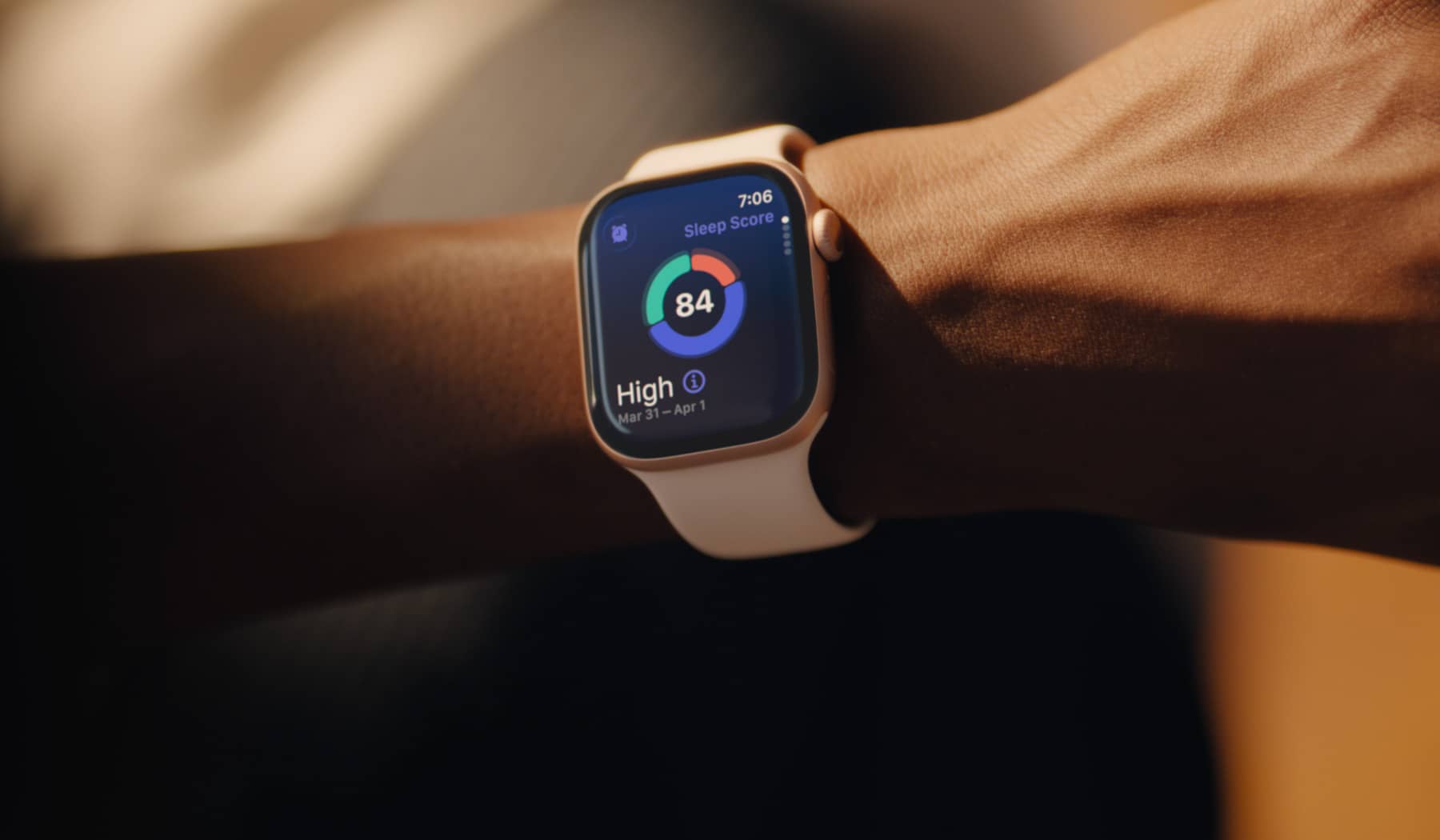
watchOS 26 introduced a sleep score feature – available on Apple Watch Series 11 and all models back to Series 6 – developed using over 5 million nights of data from the Apple Heart and Movement Study. The score incorporates heart rate data, wrist temperature, respiratory rate, and time in each sleep stage. For overnight heart rate tracking specifically – identifying trends, spotting overnight anomalies, measuring recovery – the Apple Watch is reliably accurate.
The limitation isn't heart rate accuracy during sleep; it's sleep stage classification. No consumer wearable matches the precision of clinical polysomnography, which measures brain waves directly. The heart rate data feeding into those sleep stage algorithms is solid, but the algorithms interpreting what stage you're in remain an approximation.
When the Apple Watch Struggles
Several specific conditions consistently degrade heart rate accuracy:
Wrist tattoos are the most significant disruptor. Dark, solid-color tattoos – particularly black and red ink – can block the green LED light entirely. Readings on heavily tattooed wrists have shown errors of up to 196 BPM in extreme cases, with the sensor occasionally failing to register skin contact at all. Lighter tattoo colors (purple, yellow, orange) cause smaller errors of roughly 10–15 BPM. Apple officially acknowledges this limitation. If you have a solid dark tattoo on your watch wrist, the only reliable solution is wearing the watch on the other wrist.
Cold weather reduces blood flow to extremities – a physiological response called vasoconstriction. When skin perfusion in the wrist drops, the optical sensor receives a weaker signal and accuracy suffers. Early-workout readings in cold conditions are especially unreliable; accuracy typically improves 5–10 minutes into exercise as blood flow increases. Warming up indoors before starting an outdoor winter workout helps the sensor establish a reliable baseline.
Loose fit allows ambient light to leak under the sensor and introduces movement artifacts. A watch that slides around on your wrist during a run will produce significantly noisier data than one worn snugly. The band should be firm enough that you can't easily slide the watch case side-to-side, but not so tight that it leaves a deep imprint.
Excessive wrist hair can create gaps between the sensor and skin, scattering the LED light. Trimming hair directly under the sensor area improves contact and signal quality.
Irregular heart rhythms present a different kind of challenge. The PPG sensor tracks blood flow patterns, and conditions like atrial fibrillation, premature ventricular contractions (PVCs), or other arrhythmias create irregular patterns that the algorithm may misinterpret. Heart rate readings during active arrhythmia episodes are less reliable than during normal sinus rhythm.
How It Compares to Chest Straps
Chest strap heart rate monitors – the Polar H10, Garmin HRM 600, Wahoo TICKR X – use electrical impedance rather than optical sensing. Electrodes in the strap detect the tiny electrical signals that trigger each heartbeat, measuring the same signal that a clinical ECG reads. This gives chest straps a fundamental accuracy advantage.
The Polar H10 is the standard reference device used in most clinical studies for a reason. It delivers ±1 BPM accuracy across virtually all conditions – rest, exercise, intervals, cold weather. Direct head-to-head testing between the Apple Watch and the Polar H10 shows no statistically significant difference during steady-state cycling, but the gap widens during high-intensity intervals and strength training.
For heart rate variability (HRV), the difference is more pronounced. The Apple Watch underestimates HRV by an average of 8.31 milliseconds compared to the Polar H10, with a mean absolute percentage error of 28.88%. If HRV-guided training is central to your program – as it is for users of platforms like Whoop 5.0 vs Apple Watch Series 11 – a chest strap provides meaningfully better data.
The practical accuracy gap during most activities is small enough that casual and recreational athletes won't notice. For steady-state cardio, the Apple Watch tracks chest strap data closely. The meaningful divergence happens in three scenarios: HIIT/interval training, strength training with heavy gripping, and HRV-based recovery analysis. Competitive athletes training by precise heart rate zones – especially during interval work – benefit from pairing a Bluetooth chest strap with their Apple Watch rather than relying on the wrist sensor alone.
The Apple Watch accepts external heart rate data from paired Bluetooth chest straps, displaying the chest strap reading during workouts instead of its own optical data. This is the best-of-both-worlds solution: chest strap accuracy with Apple Watch display, logging, and ecosystem integration.
How to Get the Most Accurate Readings
Eight adjustments that measurably improve Apple Watch heart rate accuracy:
1. Nail the fit. Wear the watch snugly on top of your wrist – firm enough that the sensor maintains constant skin contact, loose enough that circulation isn't restricted. During workouts, tighten the band one notch beyond your daily comfort level, then loosen it afterward.
2. Wear it higher during exercise. Moving the watch roughly one finger-width higher on your wrist (further from the hand) during workouts reduces motion artifacts from wrist flexion, particularly during running and strength training.
3. Keep the sensor clean. Dirt, sweat residue, and sunscreen can coat the optical sensor and degrade signal quality. Wipe the sensor and your wrist with a damp cloth before workouts. Regular cleaning with a microfiber cloth keeps the optical path clear and maintains consistent readings.
4. Choose the right workout type. Always select the specific workout type in the Workout app before starting. The heart rate algorithm adjusts its filtering and sampling based on the expected movement pattern – running uses different processing than cycling or yoga. Choosing Other when a specific option exists leaves accuracy on the table.
5. Update your personal data. Height, weight, age, and biological sex in the Health app don't affect the optical heart rate reading itself, but they calibrate the derived metrics – heart rate zones, VO2 max, calorie estimates – that depend on accurate heart rate data.
6. Calibrate after updates. Perform a 20-minute outdoor walk or run with GPS active after watchOS updates or band changes. This recalibrates the accelerometer and GPS algorithms that feed into heart rate zone calculations.
7. Enable Wrist Detection. This setting (Settings > Passcode > Wrist Detection) allows background heart rate sampling every 5–10 minutes. Disabling it stops all automatic heart rate collection outside of active workouts.
8. Pair a chest strap when it matters. For interval training, strength sessions, or any workout where you need precise zone data, pair a Bluetooth chest strap. The Apple Watch will automatically use the external sensor's data, giving you clinical-grade accuracy with full Apple Watch integration. The Polar H10 (around $100) is the gold standard; the Garmin HRM 600 ($170) is the premium alternative.
Heart Rate Notifications: Can You Trust Them?
The Apple Watch offers three heart-rate-related notification types, each with different accuracy profiles:
High/low heart rate alerts trigger when your heart rate stays above or below your chosen threshold for 10 minutes while you appear inactive. These are reliable when configured correctly and worn properly – false positives are uncommon. A high heart rate alert doesn't always mean something is wrong; anxiety, caffeine, dehydration, and even watching a tense movie can elevate resting heart rate. But a persistent alert – the same notification appearing multiple days in a row – warrants a conversation with your doctor.
Irregular rhythm notifications use the PPG sensor to passively screen for patterns consistent with atrial fibrillation. The notification's specificity is high – 100% in clinical validation – meaning a positive notification is rarely wrong. However, sensitivity varies significantly: in the general population it can be as low as 21.4%, meaning the watch misses many AFib episodes. It's a useful screening tool but not a substitute for continuous cardiac monitoring.
ECG readings (taken manually via the ECG app) are substantially more accurate for AFib detection. Clinical validation puts sensitivity at 94.8% and specificity at 95% for detecting atrial fibrillation – close to clinical-grade performance. The Apple Watch's ECG has received FDA clearance for AFib detection and has identified previously undiagnosed cases that led to life-saving treatment.
The important distinction: an irregular rhythm notification is a passive background screen with modest sensitivity. A manual ECG reading is a much more accurate diagnostic tool. If you receive an irregular rhythm notification, follow up by taking an ECG reading and sharing the results with your physician. Don't panic over a single notification, but don't ignore repeated ones either.
The Bottom Line
The Apple Watch delivers heart rate accuracy that's genuinely useful for the vast majority of people. The sub-5% error rate across dozens of clinical studies, reliable overnight tracking, and near-zero resting bias make it a dependable daily health companion – and the most clinically validated consumer wearable on the market.
The caveats are real but predictable: HIIT and strength training accuracy dips, tattooed wrists cause problems, cold weather degrades early readings, and HRV precision trails chest straps by a meaningful margin. None of these limitations are unique to Apple Watch – they're inherent to wrist-based optical heart rate technology.
For recreational athletes, health-conscious users, and anyone tracking heart rate trends over time, the Apple Watch provides more than enough accuracy. (For a broader look at how other wearables compare, see our best health monitoring watches guide.) For competitive athletes training by precise heart rate zones during interval work, or for anyone who needs reliable HRV data for recovery-guided training, pairing a chest strap remains the right call. The Apple Watch's ability to display and record paired chest strap data means you never have to choose between accuracy and convenience – you can have both.