
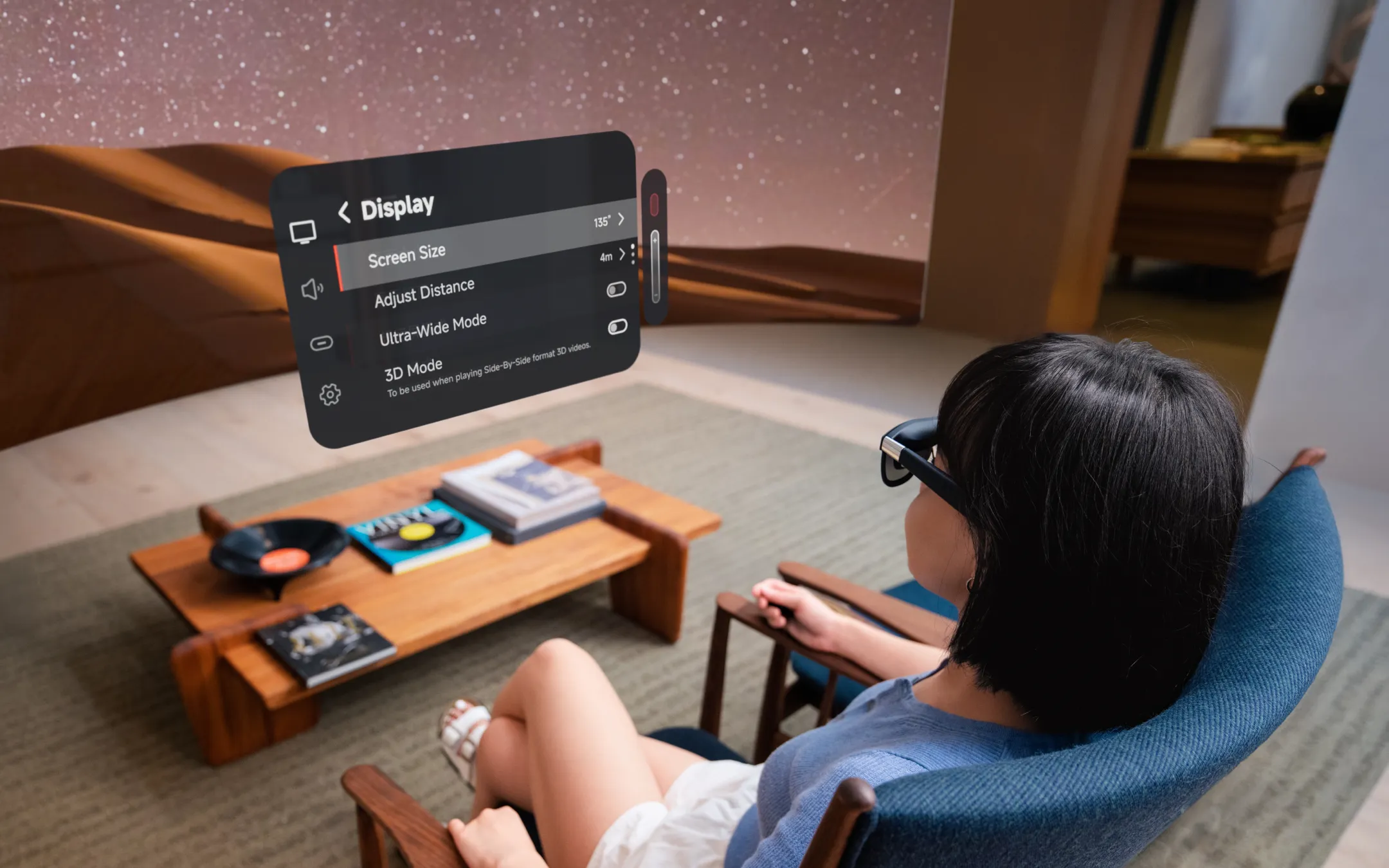
The Xreal One Pro does something no other AR glasses manage: it makes you forget you're wearing a display on your face. Strap these 87-gram glasses on, plug in a USB-C cable, and a 171-inch virtual screen materializes in front of you with startling clarity and virtually imperceptible lag. At $649, the One Pro is among the most expensive pairs of consumer AR display glasses Xreal has ever made – and it's also, without qualification, the best.
That qualifier matters, though. "Best AR display glasses" is still a narrow category, and the One Pro's premium asks a pointed question: is a tethered, 1080p virtual screen worth more than a Nintendo Switch, a Meta Quest 3, or a very nice portable monitor? For the right user – someone who lives out of a laptop bag and resents every small screen they're forced to stare at – the answer is an emphatic yes. For everyone else, it depends on how badly you want to escape the tyranny of small screens.
Design and Build
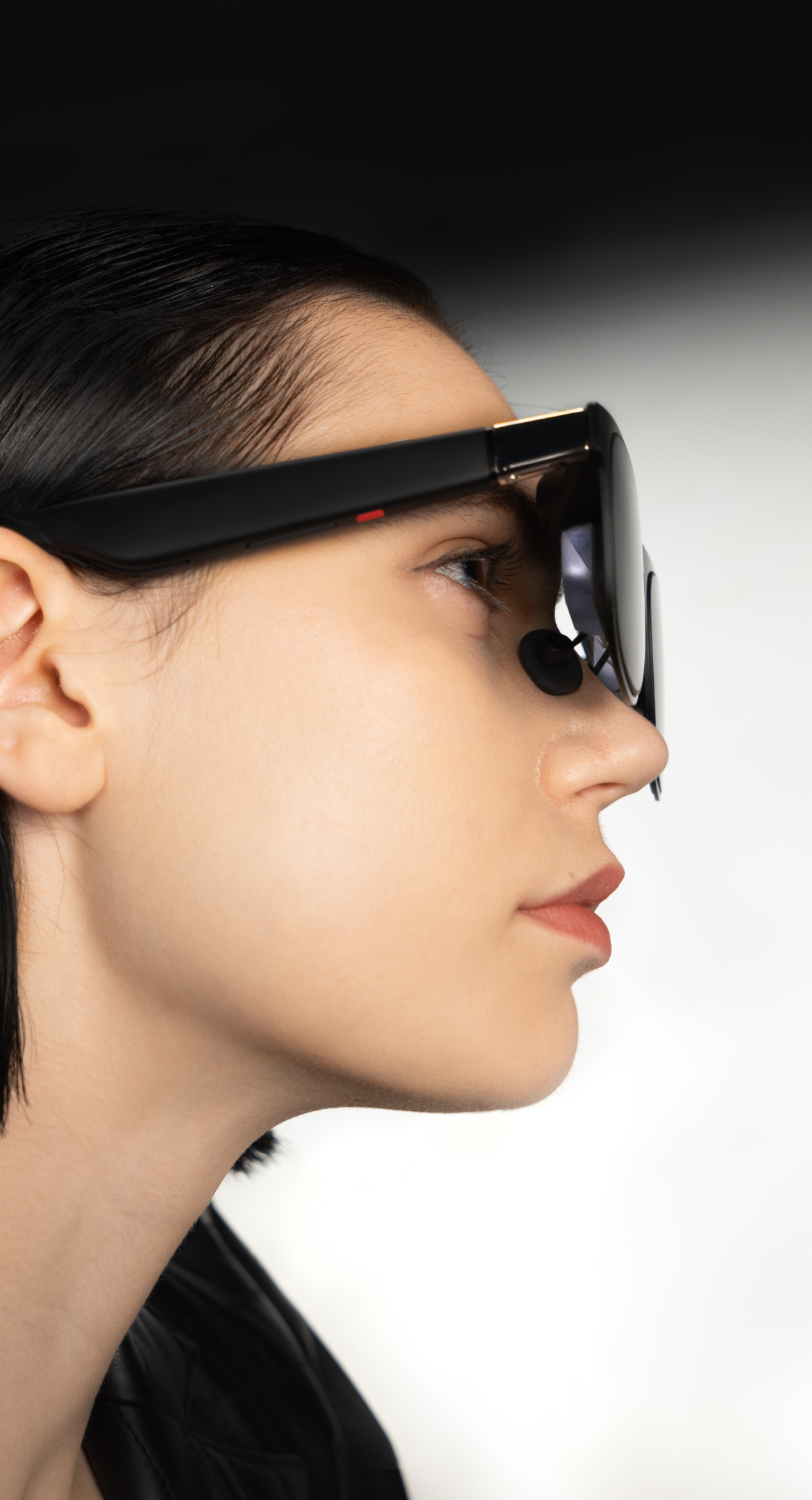
The One Pro looks like a slightly oversized pair of sunglasses, which in the AR glasses world counts as a design triumph. The new X-Prism flat-prism optical system replaces the birdbath lenses found in the standard Xreal One, and the practical effect is a thinner front profile that sits closer to the face without the bulbous look of older models. At 87 grams, the One Pro is 3 grams heavier than its non-Pro sibling – a difference that's imperceptible on the face but speaks to the additional optics packed inside. The trade-off for that featherweight frame is a permanent USB-C tether to your source device – a constraint that defines daily use as much as the optics define the visual experience.
Comfort is good for sessions up to about two hours. The nose pads distribute weight reasonably well, though pressure builds on longer stretches, particularly for users with narrower nose bridges. The X1 spatial computing chip, embedded in the frame, generates a mild warmth above the eyes during extended use. It's never uncomfortable, but it's there – a tactile reminder that these glasses are doing real computational work.
Xreal wisely offers two IPD variants: one covering 57-66mm and another for 66-75mm, covering the vast majority of adults. This is a meaningful improvement over one-size-fits-all competitors, though users at the extreme edges of either range may still encounter focus softness. Electrochromic dimming provides three transparency levels – Clear for indoor use with ambient visibility, Shade for mixed environments, and Theater for full immersion – all togglable from the frame.
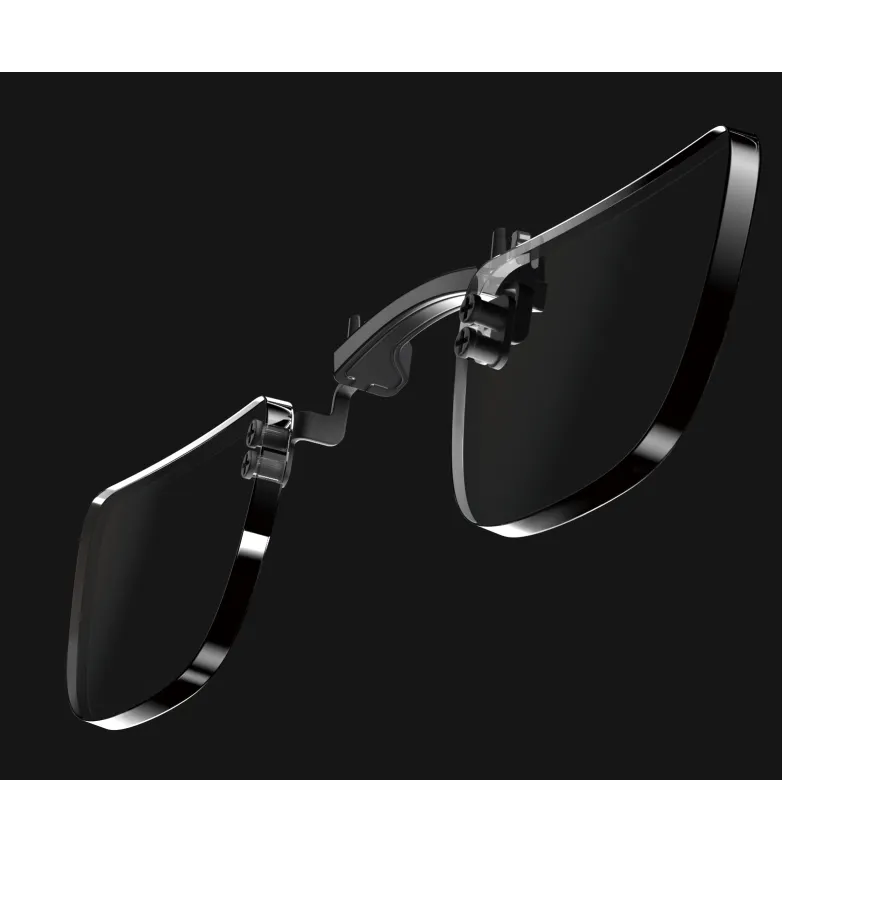
Prescription lens inserts are available through Xreal's official store at around $60, with third-party options also available at varying prices. The ordering process is straightforward, and the inserts snap in cleanly, though they do add marginal weight and create one more thing to keep track of.
Display and Optics
The display is the reason the One Pro exists, and it delivers. The dual 0.55-inch Sony Micro-OLED panels produce a 1920x1080 image per eye at 120Hz, with 700 nits of perceived brightness and color accuracy rated at ΔE less than 3. In practical terms, colors pop with vivid saturation, blacks are genuinely deep, and the 120Hz refresh rate makes everything from scrolling documents to gaming feel silky smooth.
The headline number is the 57-degree field of view – the widest in the consumer AR glasses category. That's a 38% increase in visible area over the standard Xreal One's 50 degrees, and the difference is immediately apparent. Where older AR glasses feel like peering through a porthole, the One Pro approaches the immersive quality of a proper monitor. In ultrawide 32:9 mode, the virtual screen stretches to a 310-inch equivalent, creating a curved workspace that spans peripheral vision. For productivity, this is transformative: a dual-1080p setup in a single ultrawide layout, all processed on-chip without external software.
The X-Prism optics deserve specific credit. By moving to a flat-prism design, Xreal has largely eliminated the stray light artifacts and edge-of-lens blur that plagued birdbath-style AR glasses. The image holds clarity from center to edge, and reflections from the outside world are significantly reduced compared to previous generations.
The X1 chip is the engine behind all of this. Its 3-millisecond motion-to-photon latency is genuinely remarkable – head movements and screen adjustments feel instantaneous, eliminating the swimmy, nauseating lag that has historically made AR glasses a hard sell. The chip handles native 3DoF spatial tracking entirely on-device, meaning you get screen anchoring and repositioning regardless of which device you plug into. No app required, no Bluetooth pairing, no setup friction. Plug in the USB-C cable, put on the glasses, and the virtual screen is there, locked in space.
The limitation is resolution. At 1080p per eye, fine text can look grainy, particularly in productivity scenarios where you're reading spreadsheets or code at virtual arm's length. It's sharp enough for comfortable reading of standard documents and web browsing, and more than adequate for video and gaming, but anyone hoping for Retina-level crispness will notice the pixel structure. This is a hardware generation away from being solved, but for now, it's the One Pro's most visible compromise. The Xreal 1S actually addresses this with its 1200p per-eye panels, though it trades away field of view in the process.
Performance and Compatibility
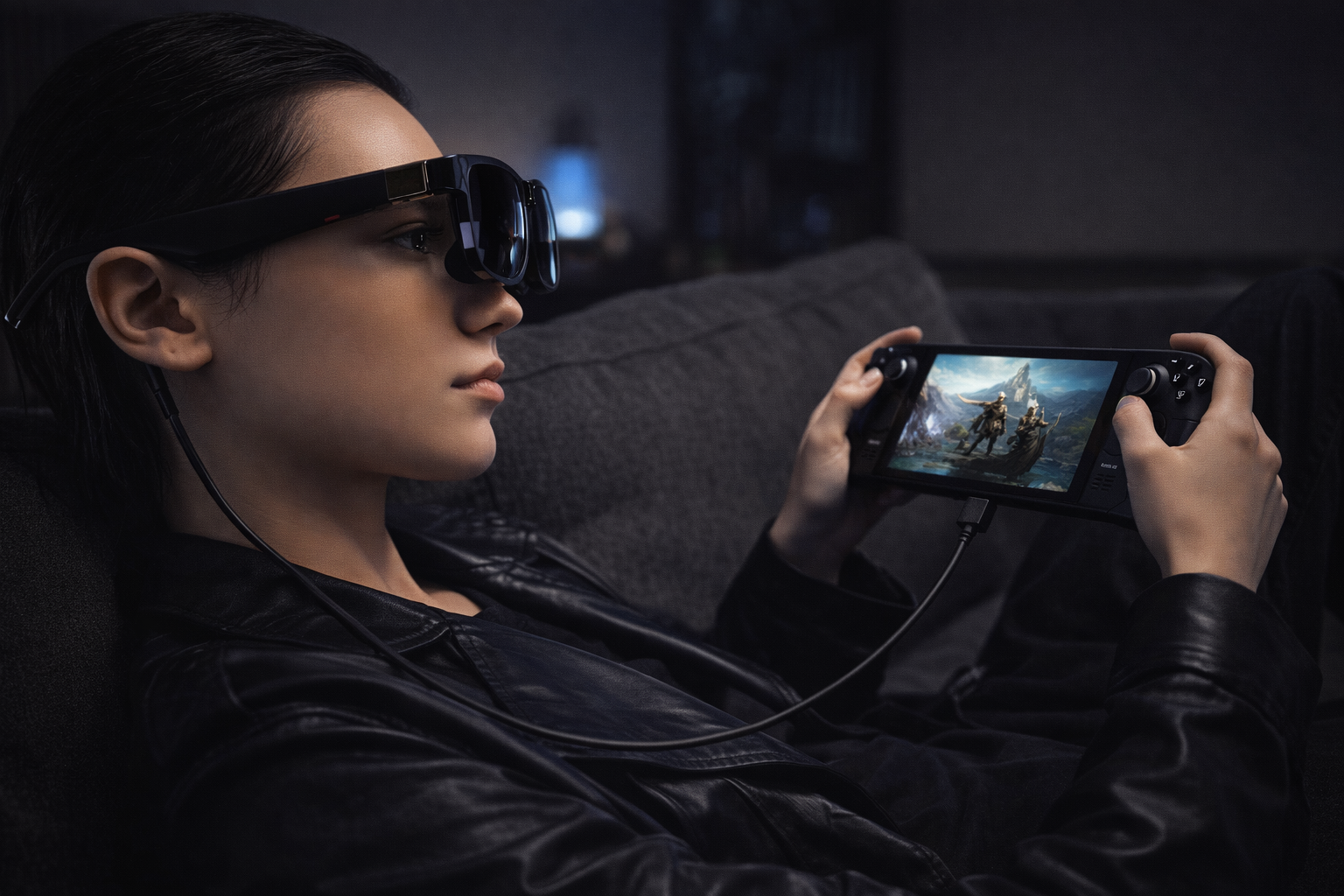
Resolution aside, the One Pro's more practical achievement is how little friction it creates between you and your devices. The One Pro plays nice with an impressively broad range of them – any source with USB-C DisplayPort Alt Mode output works. iPhones from the 15 onward, most modern Android flagships, MacBooks, Windows laptops, the Steam Deck, ROG Ally, and PlayStation 5 (with adapter). The notable exclusion is the Nintendo Switch 2, which does not natively support DisplayPort Alt Mode – though third-party hubs such as the Xreal Neo can bridge the gap.
The plug-and-play experience is genuinely seamless on supported devices. Connect the cable, and the glasses function as an external display – no drivers, no app installation for basic functionality. The host device sees the One Pro as a standard monitor, which means every app you already use works immediately.
For spatial computing features, the Nebula companion app on Windows, Mac, and Android unlocks additional controls: brightness adjustment, IPD calibration, color tuning, and aspect ratio selection. The app has improved significantly since the Xreal One launch, but it still has rough edges. Occasional freezes require unplugging and reconnecting the glasses, and the multi-window management features feel like they're one or two major updates away from being fully baked.
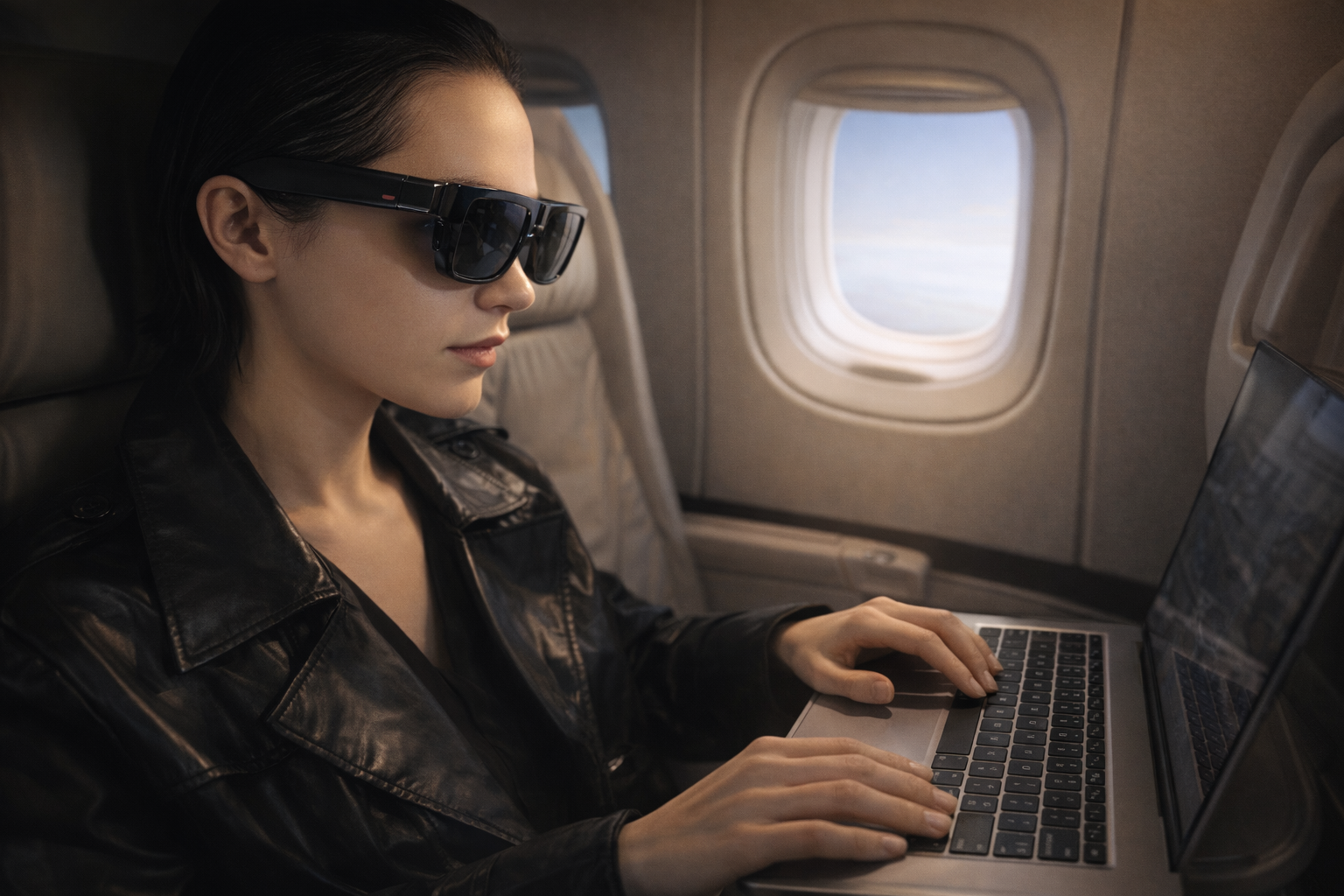
The real magic is in the use cases. As a productivity tool, the One Pro effectively replaces a portable monitor – and a large one at that. Working on a plane becomes genuinely comfortable when your "screen" is a 171-inch virtual display that only you can see. For entertainment, movie watching is immersive enough to make a cross-country flight disappear. For gaming, the 120Hz refresh rate and 3ms latency make the Steam Deck experience feel closer to playing on a proper monitor than on the Deck's built-in screen.
The spatial computing features – anchoring a screen in virtual space, resizing it with gestures, switching between follow and anchor modes – work well enough to be useful rather than gimmicky. Anchor mode is particularly compelling for desk-based productivity: pin the virtual screen above your physical laptop, and you've got a dual-monitor setup that fits in your bag.
Audio
The Bose-tuned open-ear speakers are a pleasant surprise. Open-ear audio on glasses is typically an afterthought – tinny, quiet, and functionally useless for anything beyond notification chimes. The One Pro bucks that trend with a sound chamber design that produces clear mids, crisp highs, and more bass than any open-ear speaker this small has a right to deliver.
For video calls, podcasts, and background music during productivity sessions, the built-in speakers are genuinely sufficient. There's enough volume to hear clearly in a quiet room or on a plane, and the spatial positioning – with speakers above rather than in the ears – creates a natural, non-fatiguing listening experience.
That said, these are still open-ear speakers. They leak sound to anyone within a few feet, they can't isolate external noise, and they lack the low-end punch and immersive staging of proper headphones or earbuds. For movie watching or gaming where audio immersion matters, pairing the One Pro with a good set of earbuds is the better call. The speakers are excellent for what they are, but they're not a replacement for dedicated audio.
Battery and Connectivity
The One Pro has no internal battery. Every milliwatt comes from the connected device via that USB-C cable, and this is simultaneously one of its best and most frustrating design decisions.
On the positive side, no battery means less weight, no charging routine for the glasses themselves, and no degradation over time. The 87-gram weight would be considerably higher with a battery inside, and the simplicity of "plug in and go" is genuine.
On the negative side, the host device pays the price. A laptop connected to the One Pro will drain its battery noticeably faster. A Steam Deck gets about 4-5 hours of use with the glasses connected, down from its typical standalone runtime. Xreal sells a Hub accessory for $40 that enables pass-through charging, letting you power both the glasses and the host device from a single charger, but that's another cable, another accessory, and another thing to pack.
The cable itself is the One Pro's most persistent daily friction. It runs from the left temple down to whatever device you're using, creating a tether that limits head movement and requires conscious management. It's the price of admission for a glasses-weight display device that would be dramatically heavier with wireless radios and a battery, but it remains the single biggest argument for waiting another hardware generation.

Who It's For / Who Should Skip
Buy the Xreal One Pro if: - You travel frequently and want a private, large-screen display for flights, trains, or hotel rooms - You're a Steam Deck or ROG Ally gamer who wants a bigger, smoother screen on the go - You work remotely and want a portable dual-monitor setup without carrying an actual monitor - You already own and love the Xreal One and want the best display upgrade available - You value privacy for your screen content in public spaces
Skip the Xreal One Pro if: - You're on a budget – the standard Xreal One at $499 delivers 80% of the experience at a lower price - You want wireless freedom – the tethered cable is non-negotiable - You need true AR with world-overlaid digital objects – this is a display device, not a spatial computing headset in the Apple Vision Pro sense - Your IPD is below 57mm – neither variant supports you, and the glasses simply won't work properly - You primarily want smart glasses for outdoors or social settings – these are not sunglasses you'd wear around town
If you want camera and AI features in a glasses form factor instead of a virtual display, the Ray-Ban Meta Gen 2 takes a completely different approach. For lightweight everyday smart glasses with a heads-up display, the Even Realities G1 is worth a look. Our best AR display glasses guide ranks the top tethered display options, while the broader best smart glasses roundup covers the full category. For productivity-focused buyers, see our best smart glasses for monitor replacement guide.
The Verdict
The Xreal One Pro is the best tethered AR display glasses money can buy right now. The 57-degree field of view, stunning Micro-OLED panels, and the X1 chip's 3ms latency create a visual experience that finally makes the AR glasses form factor feel like a legitimate productivity and entertainment tool rather than a novelty. The Bose-tuned audio is a genuine bonus, and the plug-and-play compatibility with everything from iPhones to gaming handhelds makes it versatile enough to justify its place in a travel bag.
The $649 price is the sticking point. The standard Xreal One at $499 shares the same X1 chip and most of the same features, sacrificing 7 degrees of field of view and the flat-prism optics. For many users, that's a better value proposition. And the tethered cable, while an acceptable engineering trade-off, is a constant reminder that truly wireless AR display glasses remain a generation or two away.
For the user who demands the absolute best portable display experience and is willing to pay for it, the One Pro has no peer. It earns its price through best-in-class optics, intelligent spatial computing, and a wearing experience that's genuinely comfortable enough for real-world use. This is the AR display category hitting its stride – not yet perfect, but close enough to matter.
Score: 80/100
| Category | Weight | Score |
|---|---|---|
| Core Function (Display, Optics, Spatial Computing) | 30% | 88 |
| Build Quality (Comfort, Weight, Design) | 15% | 82 |
| User Experience (Software, Compatibility, Prescription Support) | 20% | 79 |
| Value ($649 vs. Competitors) | 20% | 72 |
| Battery & Connectivity (Host Power Draw, Cable) | 15% | 76 |