

The Even Realities G1 solves the one problem that has plagued every pair of smart glasses since Google Glass: they actually look like glasses. Not "pretty good for a tech product" glasses, not "you can sort of get away with it" glasses – genuinely normal, wear-them-to-a-job-interview glasses. That achievement alone puts Even Realities ahead of most competitors in a category littered with compromised eyewear. But solving the aesthetics problem turns out to be the easy part. What the G1 delivers through its slender waveguide display is a narrowly useful, occasionally brilliant, and frequently frustrating experience that asks $599 for the privilege of green text floating in your peripheral vision.
The G1 is a product caught between what smart glasses should eventually become and what the technology can reasonably deliver today. It excels in a handful of specific scenarios – walking navigation, teleprompter presentations, real-time translation – while leaving a long list of basic smartphone functions completely untouched. There is no camera. There are no speakers. There is no music playback. What remains is a minimalist HUD strapped to a beautiful frame, and whether that is worth six hundred dollars depends entirely on how much you value the specific things it can do.

Design and Build
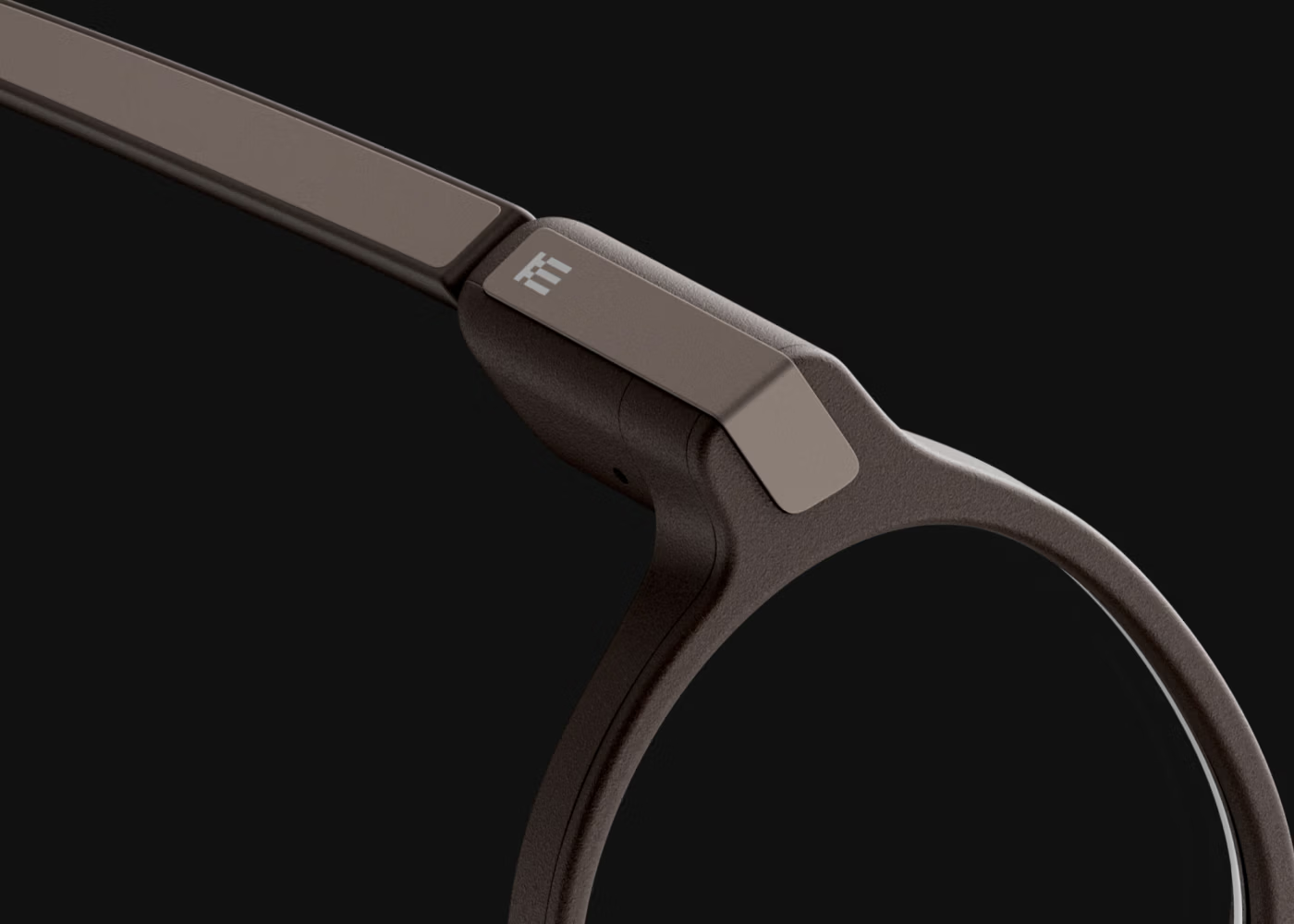
The G1 is, without exaggeration, the best-looking pair of smart glasses on the market. The magnesium alloy frame with titanium alloy temple tips is officially rated at under 40 grams – though third-party measurements with prescription lenses installed land closer to 44 grams. Either way, it is lighter than the Ray-Ban Meta's roughly 49 grams and distributes its weight across the temples with rubberized tips that grip comfortably behind the ears. The hardware is cleverly packed into slightly oversized temple tips, but the bulge is subtle enough that bystanders consistently fail to identify these as anything other than regular prescription frames. Two frame styles are available: the G1 in a panto (rounded) shape and the G1B in a squarer silhouette, each offered in multiple colorways including grey, green, and brown.
Prescription lens integration is a genuine differentiator. Rather than using clip-on inserts like most competitors, Even Realities bonds corrective lenses directly to the waveguide, producing a thinner, lighter result free of the air-gap reflections that plague snap-in solutions. The tradeoff is permanence: if your prescription changes, you need new lenses at $150 per pair. A clip-on sunglass attachment is available for an additional $100.
Build quality is excellent throughout. The hinges feel solid without being stiff, the nose pads grip without leaving marks, and the overall construction conveys premium craftsmanship. The weight distribution is well-managed enough that the glasses are designed to disappear on the face – which is precisely the point. The one ergonomic complaint worth noting is that the battery housing behind the ears can create pressure points when wearing over-ear headphones simultaneously.

Display and Optics
The G1 uses a diffractive waveguide with a JBD micro-LED projector to deliver its HUD experience. The display runs at 640x200 effective resolution – Even Realities intentionally crops the native 640x480 micro-LED to a wide, thin strip that sits above the center line of sight. This is a deliberate tradeoff: sacrificing two-thirds of the vertical pixels eliminates interference with forward vision and keeps the diffraction gratings nearly invisible when the display is off. The result is a waveguide with 98% transparency – a remarkable achievement that makes the lenses look completely clear in normal lighting.
The monochrome green display will either charm or disappoint, depending on expectations. At 1,000 nits of peak brightness with auto-adjustment, it remains legible in direct sunlight – a meaningful advantage over many competitors. The 25-degree field of view is narrow, presenting information as a small rectangle floating in the upper portion of your vision. Text is crisp enough for notifications and navigation arrows, though the dot-matrix rendering means you will not mistake this for a smartphone screen. The 20Hz refresh rate is adequate for static text and simple animations but would struggle with anything more dynamic.
Activating the display requires a slight upward head tilt, which reveals the dashboard showing time, date, weather, and pinned notes. This gesture-based activation works reliably and feels natural after a day or two of use. There is a faint gold tint visible through the waveguide prisms at certain angles, but it is subtle enough to go unnoticed in conversation. The optical quality, assessed on its own terms as a notification-class HUD rather than an immersive AR display, is genuinely impressive. For buyers who want a richer AR experience with a wider field of view, the XREAL One Pro takes a very different approach with full-color passthrough.

Performance and Features
The G1 operates through a companion app on iOS or Android, connected via Bluetooth. Two capacitive touch strips on the temples provide the only onboard controls: the left activates the Even AI assistant, and the right triggers quick notes. Everything else – navigation routes, notification filtering, translation setup, dashboard configuration – requires pulling out your phone and opening the app. This phone dependency is the G1's most persistent friction point and frequently undermines the "glanceable computing" premise.
Navigation is the standout feature and the closest the G1 comes to justifying its price. Turn-by-turn walking and cycling directions appear as floating arrows with street names and estimated arrival times. In dense urban environments where pulling out a phone invites distraction or theft, having directions materialize in your line of sight is a practical advantage that justifies the HUD format. The routing is generally reliable, though turn-to-turn response times can lag and directional errors are a known limitation.
Teleprompter mode is the G1's secret weapon for a niche audience. The display scrolls text as the built-in microphone tracks speech, making it invaluable for presentations, speeches, and video recording. The system is reported to function reliably even in noisy environments, and it represents a genuine use case that no smartphone can replicate as elegantly.
Real-time translation supports 24 languages and displays translated speech as text on the lens. The execution is functional but limited: some language pairs support only one-way translation, and switching direction requires manual reconfiguration through the app. The system does not save transcription logs. For travelers or multilingual professionals, it is a promising feature that stops short of being fully practical.
The AI assistant is the G1's weakest link. AI response times are slow – a particular problem for follow-up questions – and the interaction model of speaking into the air and waiting for green text to appear lacks the immediacy that voice assistants on phones or earbuds deliver. If the AI were fast and contextually aware, it could be the G1's defining feature. Instead, it feels like an afterthought bolted onto hardware that deserves better software. The Halliday glasses take a similar minimalist approach to AI integration, though with a different display technology.
What the G1 cannot do is a long list. There is no camera for photos or video. There are no speakers or bone-conduction audio for music, calls, or AI voice responses. There is no fitness tracking. There is no video calling. There are no third-party apps. Even Realities argues that cameras on your face create social friction – a position that has merit, but it means the $599 G1 does significantly less than the $379 Ray-Ban Meta (current generation), which offers a 12MP camera, open-ear speakers, music playback, Meta AI with voice responses, and livestreaming. The G1's advantage is the HUD display that the Ray-Ban Meta lacks, but whether a green notification strip outweighs a camera and speakers is a question every buyer must answer individually.
Battery Life
Even Realities rates the G1 for up to a day and a half of typical use, and that figure holds up under heavy use – frequent navigation, translation sessions, and notification checking. Light users who primarily glance at notifications and time can stretch this further. The 160mAh battery in each temple charges in two to three hours, and the included charging case packs a 2,000mAh battery good for approximately 2.5 full recharges before needing an outlet.
For a HUD-class smart glass, this is solid performance. The display draws power only when active, and the low refresh rate keeps consumption modest. The absence of power-hungry features like cameras and speakers works in the G1's favor here. The lack of a physical power switch is an annoyance – the glasses enter a low-power sleep state when placed in the case, but left on a desk, they will slowly drain. It is a minor irritation that speaks to the broader software polish issues throughout the product.

Who It's For / Who Should Skip
The G1 is built for prescription eyeglass wearers who want a discreet, stylish HUD without the bulk or social awkwardness of traditional smart glasses. If you wear glasses daily and frequently need walking navigation, give presentations, or work across languages, the G1 adds genuine utility to something already on your face. Public speakers and content creators will find the teleprompter alone worth serious consideration.
Skip the G1 if you want a full-featured smart wearable. If you expect to take photos, listen to music, make calls, or interact with a responsive AI assistant, the Ray-Ban Meta delivers more at a lower price – you just will not get a display. Similarly, if you do not already wear prescription glasses, strapping $599 of technology to your face for occasional navigation feels difficult to justify when your phone is in your pocket. If you are primarily interested in sport-oriented smart eyewear with camera capabilities, the Oakley Meta HSTN is worth a look. Early adopters should also note that Even Realities has already announced the G2, which offers a larger monochrome display (75% larger display area), higher brightness, and a companion smart ring controller – potentially making the G1 a transitional product with a limited shelf life.
The Verdict
The Even Realities G1 is a triumph of industrial design wrapped around a product that is still searching for its purpose. The hardware sets a new standard for what smart glasses can look like, and the waveguide display technology is genuinely impressive at this weight and form factor. But the narrow feature set, sluggish AI, heavy phone dependency, and $599 price create a value equation that only works for a specific type of buyer. This is a product that delivers on the promise of looking normal while delivering just enough utility to be interesting – and not quite enough to be essential. For a broader look at what else is available in this rapidly evolving space, see our guide to the best smart glasses and the best AR display glasses.
| Category | Weight | Score | Weighted |
|---|---|---|---|
| Core Function (HUD, notifications, navigation) | 30% | 65 | 19.5 |
| Build Quality (comfort, style, prescription) | 15% | 92 | 13.8 |
| User Experience (app, setup, daily use) | 20% | 62 | 12.4 |
| Value ($599 vs alternatives) | 20% | 55 | 11.0 |
| Battery Life | 15% | 78 | 11.7 |
| Overall | 100% | 68/100 |
Score: 68/100 – Average. The G1 is a beautiful piece of hardware limited by software that has not caught up to its ambitions and a price that assumes more capability than it delivers. Consider alternatives unless the HUD display and discreet design address a specific need in your daily life.