
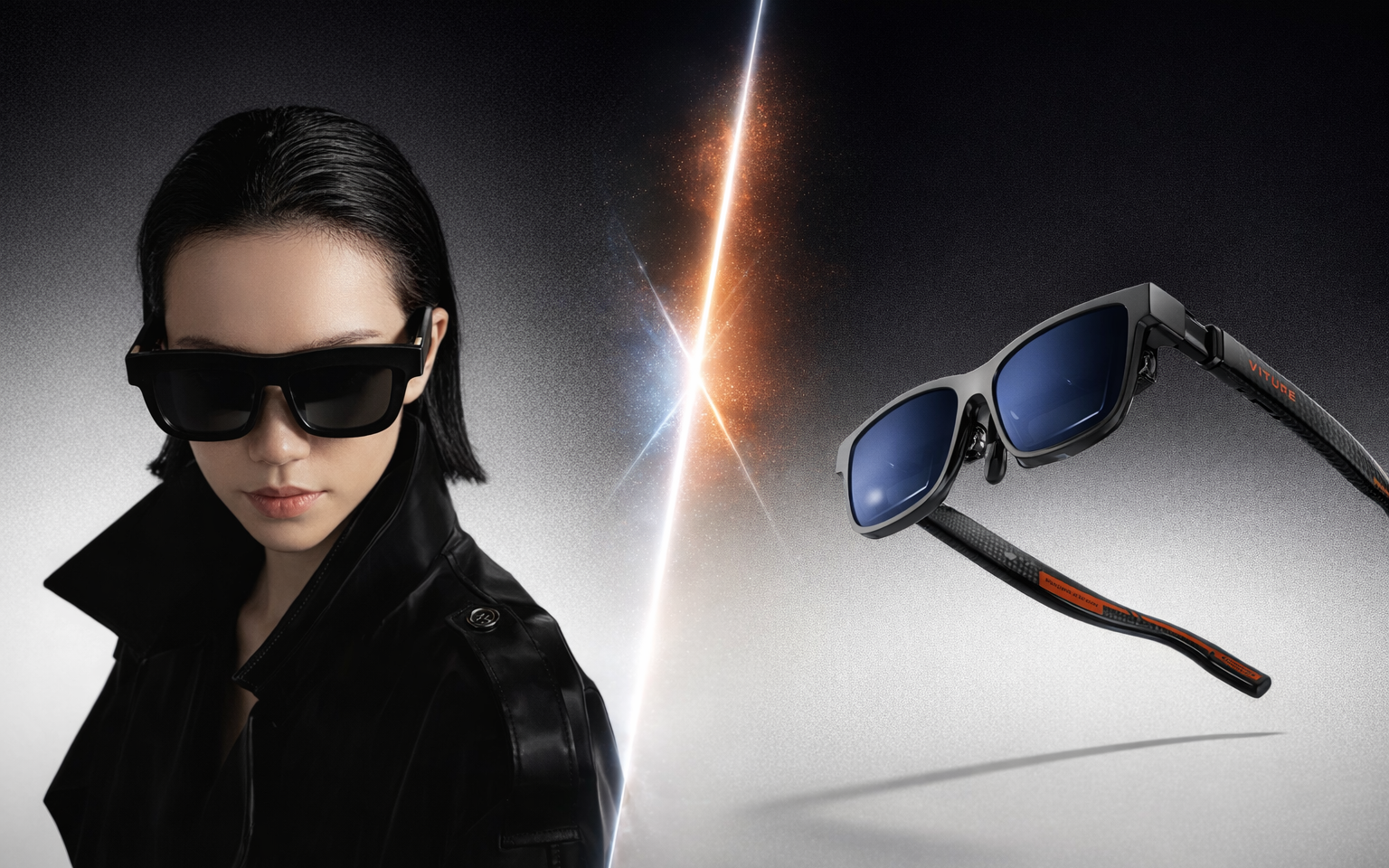
AR display glasses have finally crossed the threshold from novelty gadget to genuinely useful tool. Two products sit at the top of the category right now: the Xreal One Pro ($769) and the VITURE Pro XR ($459). Both use Sony Micro-OLED panels. Both project a massive virtual screen in front of your face. Both connect over USB-C and work with phones, laptops, and handheld gaming consoles.

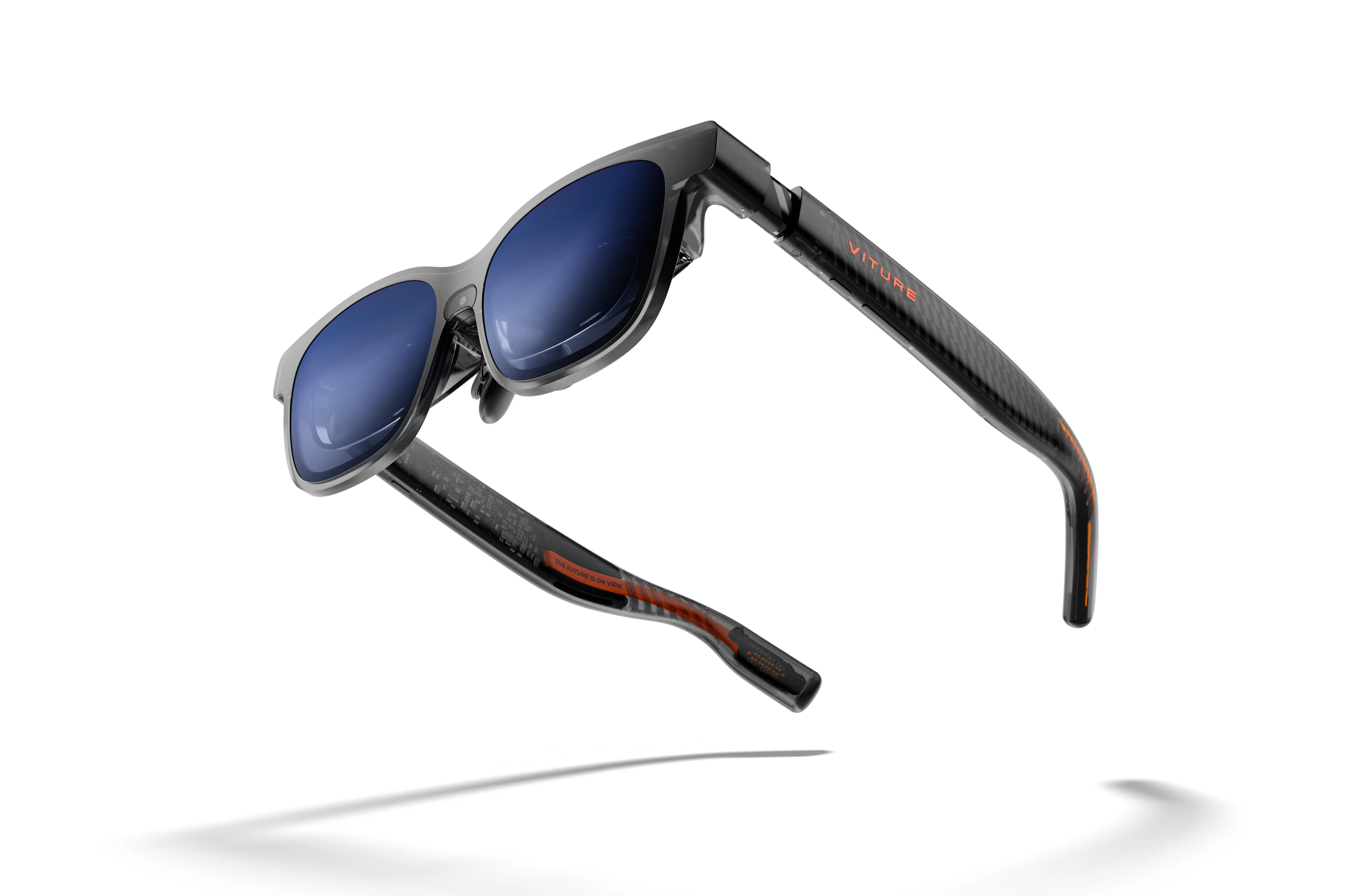
The question is whether you should pay $310 more for the Xreal's wider field of view and onboard spatial computing, or pocket the savings and pick up the VITURE's lighter, brighter package. The two glasses take meaningfully different approaches to optics, software, and design -- and those differences determine which one you will actually keep using three months from now. Here is how they compare across every dimension that matters.
Display Quality and Brightness
Both glasses use Sony Micro-OLED panels running at 1920x1080 per eye and 120Hz. The underlying display technology is effectively identical, and both deliver the deep blacks, punchy contrast, and vibrant color reproduction that Micro-OLED is known for.
The difference is in brightness. The VITURE Pro XR pushes significantly more light through its optics, with a perceived brightness exceeding 1,000 nits compared to the Xreal One Pro's 700 nits. In bright environments -- outdoors, near a window on an airplane, or under harsh office lighting -- the VITURE holds up better. Content stays legible and vivid where the Xreal can wash out.
The Xreal One Pro counters with its new X-Prism flat-prism optics, which are 40% smaller than its predecessor's lens assembly. The practical benefit is cleaner edge-to-edge clarity with fewer internal reflections and less chromatic distortion. Colors stay accurate all the way to the periphery, and there is less ghosting in high-contrast scenes. The VITURE can exhibit slight blurriness near the edges of the display, particularly when the focus dials are not dialed in precisely.
Winner: Draw -- the VITURE wins on raw brightness, while the Xreal delivers slightly more refined optical clarity.
Field of View
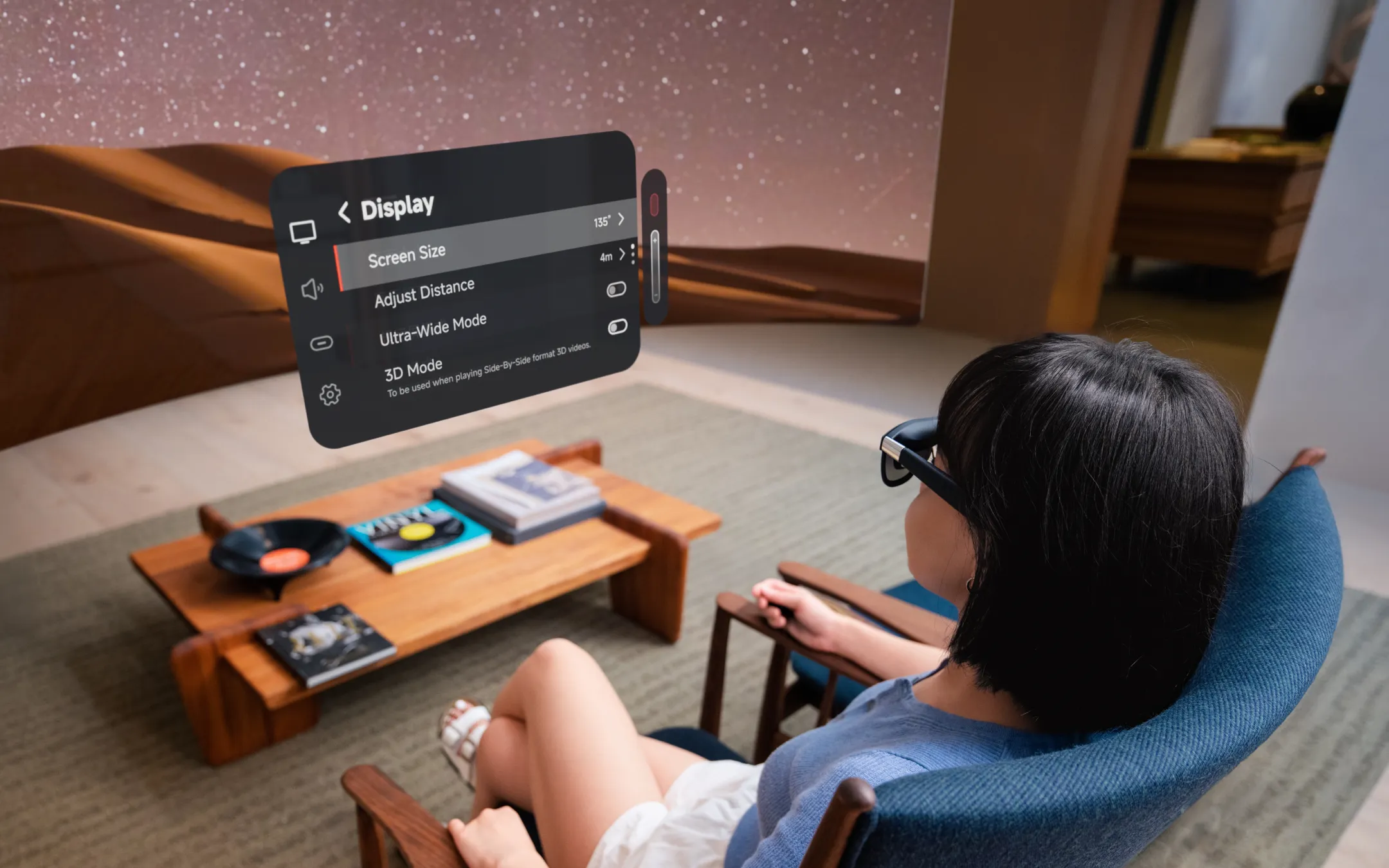
This is where the Xreal One Pro creates genuine separation. Its 57-degree field of view produces a virtual image equivalent to a 171-inch screen at four meters. The VITURE Pro XR manages 46 degrees, equivalent to a 135-inch screen at three meters.
On paper, 11 degrees may not sound transformative. In practice, it is. The wider FOV on the Xreal One Pro means less of that "peering through binoculars" sensation that plagues narrower AR glasses. Movies feel more cinematic. Productivity use cases -- reading documents, coding, browsing multiple tabs -- benefit from having more screen real estate before you need to scroll. The difference is immediately obvious: the Xreal fills more of your visual field, and that changes the experience from "novelty display" to "legitimate monitor replacement."
The VITURE's 46-degree FOV is not bad by any means -- it is an improvement over its predecessor's 43 degrees and is perfectly usable for watching movies or gaming. But in a head-to-head comparison, the Xreal's wider canvas is a clear advantage.
Winner: Xreal One Pro
Spatial Computing and Software
This is the Xreal One Pro's most important differentiator. Its custom X1 chip provides native 3DoF (three degrees of freedom) head tracking directly on the glasses, with no additional software or hardware required. Plug into any compatible device and the virtual screen is spatially locked in place -- turn your head and the screen stays put, exactly like a real monitor floating in space. This works on every platform: Mac, Windows, iPhone, Android, Steam Deck.
The VITURE Pro XR does not have an onboard processor for spatial tracking. Its 3DoF "pin mode" relies on the SpaceWalker companion app running on the connected device, which means spatial features are only available on platforms where SpaceWalker is installed and compatible. On a raw USB-C connection to a laptop without SpaceWalker, the VITURE's screen simply moves with your head.
The Xreal pushes further with optional 6DoF support through the Xreal Eye camera accessory ($99). This adds positional tracking -- not just head rotation but actual movement through space -- enabling genuinely spatial computing experiences. The 6DoF capability is still early, and the Eye camera's image quality is mediocre, but the foundation for more advanced AR use cases is there.
On the software side, Xreal's Nebula app offers virtual display and spatial cinema modes on Mac, with adjustment for size, distance, and angle. VITURE's SpaceWalker offers similar multi-screen functionality and adds some unique features like AI-powered 2D-to-3D content conversion and broad VR video format support (360-degree, 180-degree, SBS). SpaceWalker is arguably more feature-rich as a media consumption tool, while Nebula is more polished as a productivity environment.
Winner: Xreal One Pro
Comfort and Design
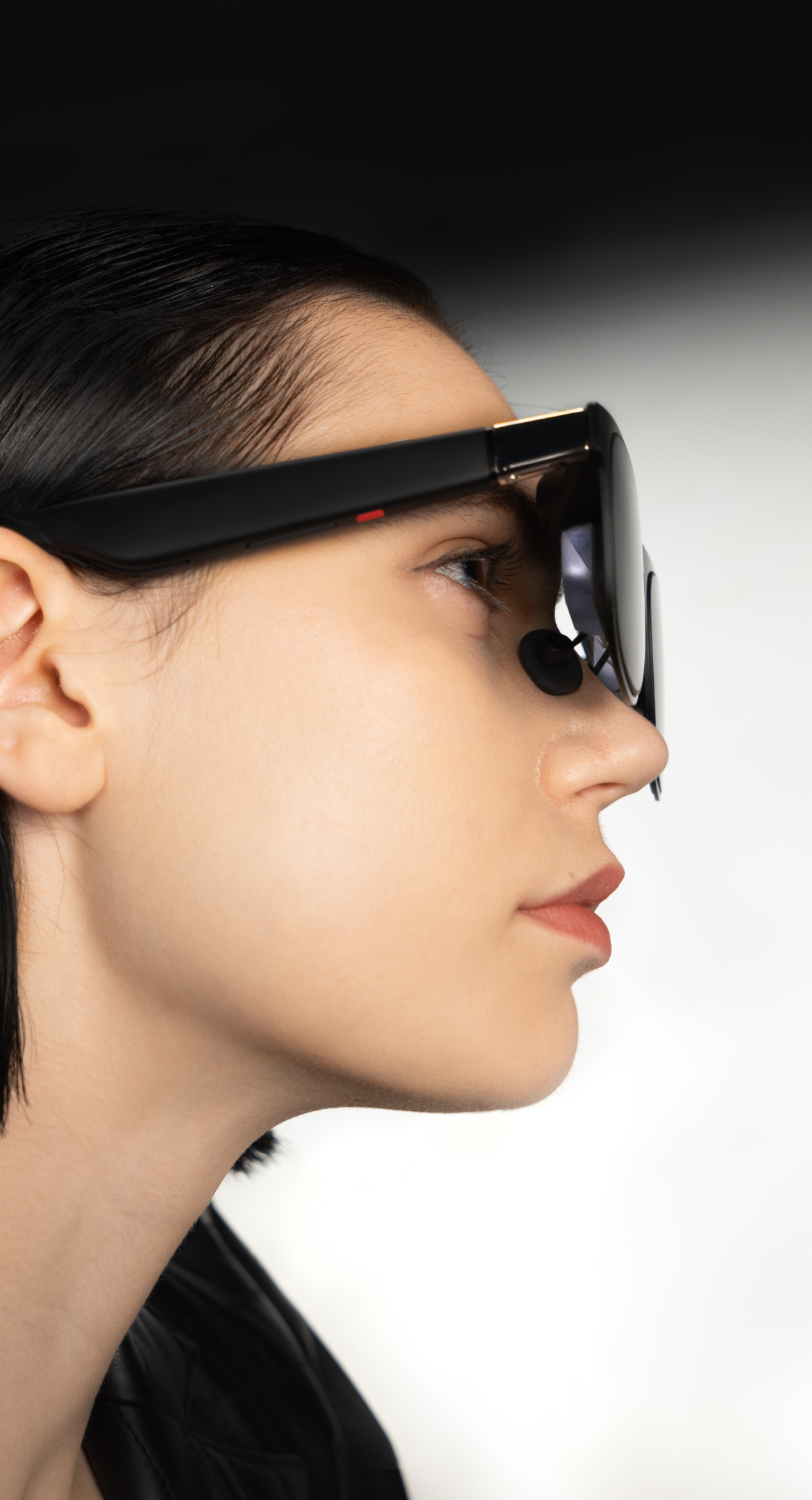
The VITURE Pro XR weighs approximately 77 grams. The Xreal One Pro comes in at roughly 87 grams. Ten grams may not sound like much, but these devices sit on your nose and ears for hours at a time, and the difference becomes noticeable during extended sessions -- particularly on flights or long work blocks.
Both glasses look more like oversized sunglasses than tech gadgets, which is a win for the category. The VITURE leans slightly more fashion-forward, with a sleeker front profile that draws less attention in public. The Xreal has a more angular, tech-forward aesthetic that reads as premium but does not quite pass as regular eyewear.
The VITURE has one enormous comfort advantage: built-in myopia adjustment dials. Two dials on the top of the frame let you tune each eye independently from 0 to -5.0 diopters. If you are nearsighted, you can use the VITURE without your contacts or glasses and without purchasing custom prescription lens inserts. The Xreal One Pro has no built-in diopter adjustment whatsoever. Nearsighted users must either wear contacts or order custom prescription lens inserts (typically $50-$80 from third-party vendors), adding cost and friction.
The Xreal comes in two fixed IPD sizes -- Medium (57-66mm) and Large (66-75mm) -- which means you need to choose correctly at purchase. The VITURE does not have explicit IPD adjustment, but the myopia dials provide some flexibility in aligning the image to each eye.
Both glasses get warm during extended use, though the VITURE's right temple runs noticeably warmer. Neither is uncomfortable, but the VITURE has more heat feedback during sessions exceeding an hour.
Winner: VITURE Pro XR
Audio
The Xreal One Pro uses open-air speakers tuned by Bose engineers in custom acoustic chambers. The VITURE Pro XR uses HARMAN-tuned stereo speakers. Both are open-ear designs that let ambient sound through -- neither will isolate you from your environment.
The Bose tuning on the Xreal delivers noticeably more volume, stronger bass presence, and better clarity across the frequency range. Voices come through sharp and detailed, and there is enough low-end body to make movie audio feel reasonably full. The Xreal's speakers are among the best on any pair of AR glasses.
The VITURE's HARMAN tuning produces a pleasant, balanced sound signature at moderate volumes, with defined midrange and a spaciousness that works well for movies. But the speakers are underpowered. In anything but a quiet room, background noise overwhelms them. At maximum volume, the sound is thin and strained. Headphones are effectively mandatory for the VITURE in any environment with ambient noise -- on a plane, in a coffee shop, or even in a room with an air conditioner running.
Winner: Xreal One Pro
Compatibility and Ecosystem
Both glasses connect via USB-C and work with any device that supports DisplayPort Alt Mode: modern iPhones (15 and later), USB-C Android phones, MacBooks, Windows laptops, Steam Deck, and ROG Ally.
The VITURE pulls ahead for console gamers. Its Mobile Dock ($129) adds HDMI input and a built-in battery, enabling direct use with Nintendo Switch, PS5, and Xbox. The dock also extends battery life for connected mobile devices, which is a thoughtful touch for handheld gaming sessions. The Xreal One Pro can work with Nintendo Switch through the XREAL Hub adapter, but requires a separate power source -- a clunkier solution.
VITURE also offers an HDMI XR Adapter for connecting to HDMI devices, and a Neckband (from $249) that adds hand tracking and expanded spatial features to the glasses. The full VITURE ecosystem is broader, though the total cost for all accessories adds up quickly.
The Xreal ecosystem is more focused: the glasses themselves, the Eye camera for 6DoF, and the Hub adapter. Less choice, but also less complexity.
Winner: VITURE Pro XR
Dimming and Light Control
Both glasses feature electrochromic dimming -- the ability to electrically darken the lenses to block ambient light and improve display contrast.
The Xreal One Pro offers three levels: Clear (fully transparent), Shade (35% dimming), and Theatre (fully opaque). That middle Shade option is genuinely useful -- it reduces ambient light enough to improve display visibility without completely cutting you off from your surroundings. There is also an auto-transparent feature that returns the lenses to clear when you look away from the virtual screen.
The VITURE Pro XR has only two states: transparent and near-opaque. When activated, it blocks an impressive 99.5% of light -- slightly darker than the Xreal's Theatre mode. But the lack of an intermediate setting means you are either fully transparent or fully blacked out. For situations where you want to dim ambient light while maintaining some environmental awareness (working at a desk, riding a train), the VITURE forces an all-or-nothing choice.
Winner: Xreal One Pro
Who Should Buy What
Buy the Xreal One Pro if you...
- Prioritize the widest possible field of view for movies, gaming, or productivity
- Want native spatial computing (screen lock, head tracking) without relying on companion software
- Value high-quality onboard audio and want to skip wearing earbuds
- Use AR glasses primarily with a laptop or phone for productivity
- Plan to explore spatial computing and 6DoF AR in the future
- Do not mind paying a significant premium for the most advanced experience
Buy the VITURE Pro XR if you...
- Are nearsighted and want to skip the hassle of prescription lens inserts
- Game on Nintendo Switch, PS5, or Xbox and want native console support
- Want the lightest, most comfortable option for long flights or commutes
- Prioritize display brightness for use in well-lit environments
- Want strong AR glasses at a lower price point
- Care about ecosystem breadth (docks, adapters, neckband accessories)
Our Verdict
The Xreal One Pro is the better AR display experience. Its 57-degree field of view is the widest available in the category and delivers a meaningfully more immersive screen than the VITURE's 46 degrees. The X1 chip providing native 3DoF head tracking -- without companion apps, without external hardware, on every device -- is the kind of seamless, it-just-works feature that separates a product you use occasionally from one you use every day. Add Bose-tuned audio that actually gets loud enough and three-level dimming with an intelligent auto-transparent mode, and the Xreal One Pro is the most complete AR glasses package on the market.
But completeness costs. At $769, the Xreal One Pro is roughly $310 more expensive than the VITURE Pro XR at $459. The VITURE is lighter, brighter, and its built-in myopia dials are a killer feature for the large percentage of the population that is nearsighted. If your primary use case is console gaming (especially Nintendo Switch), the VITURE ecosystem is more mature and more convenient. The VITURE delivers the bulk of the Xreal experience at roughly 60% of the price -- and for many buyers, that math makes more sense.
Overall winner: Xreal One Pro -- for the field of view and spatial computing advantages that define the daily-use experience.
The VITURE Pro XR is the right choice for budget-conscious buyers, console gamers, and nearsighted users who value built-in vision correction.
Specs at a Glance
| Spec | Xreal One Pro | VITURE Pro XR |
|---|---|---|
| Price | $769 | $459 |
| Display | 0.55" Sony Micro-OLED | Sony Micro-OLED |
| Resolution | 1920x1080 per eye | 1920x1080 per eye |
| Refresh Rate | 120Hz | 120Hz |
| Brightness | 700 nits (perceived) | 1,000+ nits (perceived) |
| Field of View | 57 degrees | 46 degrees |
| Equivalent Screen | 171" at 4m | 135" at 3m |
| Weight | ~87g | ~77g |
| Audio | Bose-tuned speakers | HARMAN-tuned speakers |
| Electrochromic Dimming | 3 levels (0% / 35% / 100%) | 2 levels (transparent / opaque) |
| Spatial Tracking | Native 3DoF (X1 chip); 6DoF with Eye | Software 3DoF (SpaceWalker app) |
| Myopia Adjustment | None (prescription inserts only) | Built-in dials, 0 to -5.0D |
| IPD | M: 57-66mm / L: 66-75mm | Not adjustable |
| Connectivity | USB-C | USB-C; HDMI via dock/adapter |
| Console Support | Switch (via Hub + power) | Switch (via Mobile Dock); PS5, Xbox (via HDMI) |
| Companion Software | Nebula | SpaceWalker |
| Key Accessories | Eye camera ($99), Hub adapter | Mobile Dock ($129), Neckband (from $249), HDMI Adapter |